Deep Learning ร— Mobile Deployment

Potato Disease Classification

An end-to-end computer vision project that uses a Convolutional Neural Network to classify potato leaf images into Early Blight, Late Blight and Healthy categories, followed by TensorFlow Lite conversion and Android deployment.

Python TensorFlow Keras CNN TensorFlow Lite Android Java
๐ŸŒฟ
MODEL PERFORMANCE
96.48%
Test Accuracy
CNN โ†’ TFLite โ†’ Android
2,152 Images
3 Classes
96.48% Test Accuracy
40 Training Epochs
01

PROJECT OVERVIEW

From potato leaf image to mobile prediction.

This project explores the use of Computer Vision and Deep Learning for classifying potato leaf images according to their health condition.

A CNN-based model was developed using TensorFlow and Keras. The dataset contained 2,152 images distributed across three categories: Early Blight, Late Blight and Healthy.

After training and evaluation, the model was exported into deployable formats and the TensorFlow Lite model was integrated into an Android application.

The Android implementation was developed in Android Studio using Java and Gradle. A ready-made template from a YouTube tutorial was used only as the initial project/UI foundation and was then substantially modified for the requirements of this project.

๐Ÿง 

End-to-End Workflow

The project combines deep learning, model conversion, mobile inference, application development and APK analysis.

Dataset โ†’ CNN โ†’ TFLite โ†’ Android
02

CLASSIFICATION TARGET

Three classes. One classification task.

EB
CLASS 01

Early Blight

Potato leaves affected by Early Blight.

Potato___Early_blight
LB
CLASS 02

Late Blight

Potato leaves affected by Late Blight.

Potato___Late_blight
H
CLASS 03

Healthy

Potato leaves without the targeted diseases.

Potato___healthy
03

TECHNICAL PIPELINE

How the model was built.

01

Dataset Loading

TensorFlow Dataset API

The dataset was loaded using image_dataset_from_directory() . Images were read from class-specific directories and automatically associated with their corresponding labels.

Total Images 2,152
Classes 3
Image Size 256 ร— 256
Channels RGB
โ†“
02

Dataset Partitioning

Train / Validation / Test

The dataset was shuffled and partitioned using an 80/10/10 split for training, validation and testing.

80% Train
10% Validation
10% Test
โ†“
03

Preprocessing

Resize + Rescaling

Images were resized to 256 ร— 256 pixels and pixel values were rescaled using 1/255 so that the input values were normalized before entering the network.

Resizing(256, 256)
Rescaling(1.0 / 255)
โ†“
04

Data Augmentation

Generalization

Data augmentation was introduced inside the model pipeline using random horizontal and vertical flips along with random rotation. This helps expose the model to variations in image orientation during training.

Random Flip Horizontal + Vertical Random Rotation 0.2
โ†“
05

CNN Architecture

Feature Extraction + Classification

The model uses a sequential CNN architecture consisting of multiple convolution and max-pooling blocks followed by fully connected layers.

Input โ†’ Conv2D 32 โ†’ Pool โ†’ Conv2D 64 โ†’ Pool โ†’ ร—4 Conv/Pool Blocks โ†’ Flatten โ†’ Dense 64 โ†’ Softmax
187,712 Total trainable parameters
โ†“
06

Model Training

TensorFlow / Keras

The model was compiled using the Adam optimizer and Sparse Categorical Crossentropy loss. Training was performed for 40 epochs with a batch size of 32.

Optimizer Adam
Loss Sparse Categorical Crossentropy
Batch Size 32
Epochs 40
โ†“
07

Evaluation

Unseen Test Dataset

After training, the model was evaluated on the held-out test dataset. The final evaluation produced a test loss of approximately 0.0792 and an accuracy of approximately 96.48%.

Test Accuracy 96.48%
Test Loss 0.0792
โ†“
08

Model Export

Multiple Deployment Formats

The trained model was saved in multiple formats for experimentation, storage and deployment.

AModel/1.keras Keras model
AModel/1.h5 HDF5 model
AModel/1/ TensorFlow SavedModel artifacts
AModel/1/model.tflite Android deployment model
โ†“
09

Android Integration

TensorFlow Lite + Java + Gradle

The generated TensorFlow Lite model was integrated into an Android Studio project. Java and Gradle were used to implement and manage the application functionality.

Android Studio Java Gradle TensorFlow Lite
โ†“
10

Application Testing & APK Analysis

Android Studio Emulator + JADX

The application was tested using the Google Pixel 5a emulator inside Android Studio. After generating the APK, the application package was also analyzed using JADX for educational and inspection purposes.

Android Studio โ†’ Pixel 5a Emulator โ†’ APK โ†’ JADX
04

MODEL DETAILS

What is inside the CNN?

Architecture

Input 256 ร— 256 ร— 3
โ†“
Conv2D 32 filters ยท 3ร—3 ยท ReLU
โ†“
MaxPooling2D 2ร—2
โ†“
Conv2D 64 filters ยท 3ร—3 ยท ReLU
โ†“
Multiple Conv + Pool Blocks 64 filters
โ†“
Flatten
โ†“
Dense 64 units ยท ReLU
โ†“
Dense 64 units ยท Softmax
Input 256 ร— 256 ร— 3
Parameters 187,712
Training 40 Epochs
Test Accuracy 96.48%
05

PREDICTION OUTPUTS

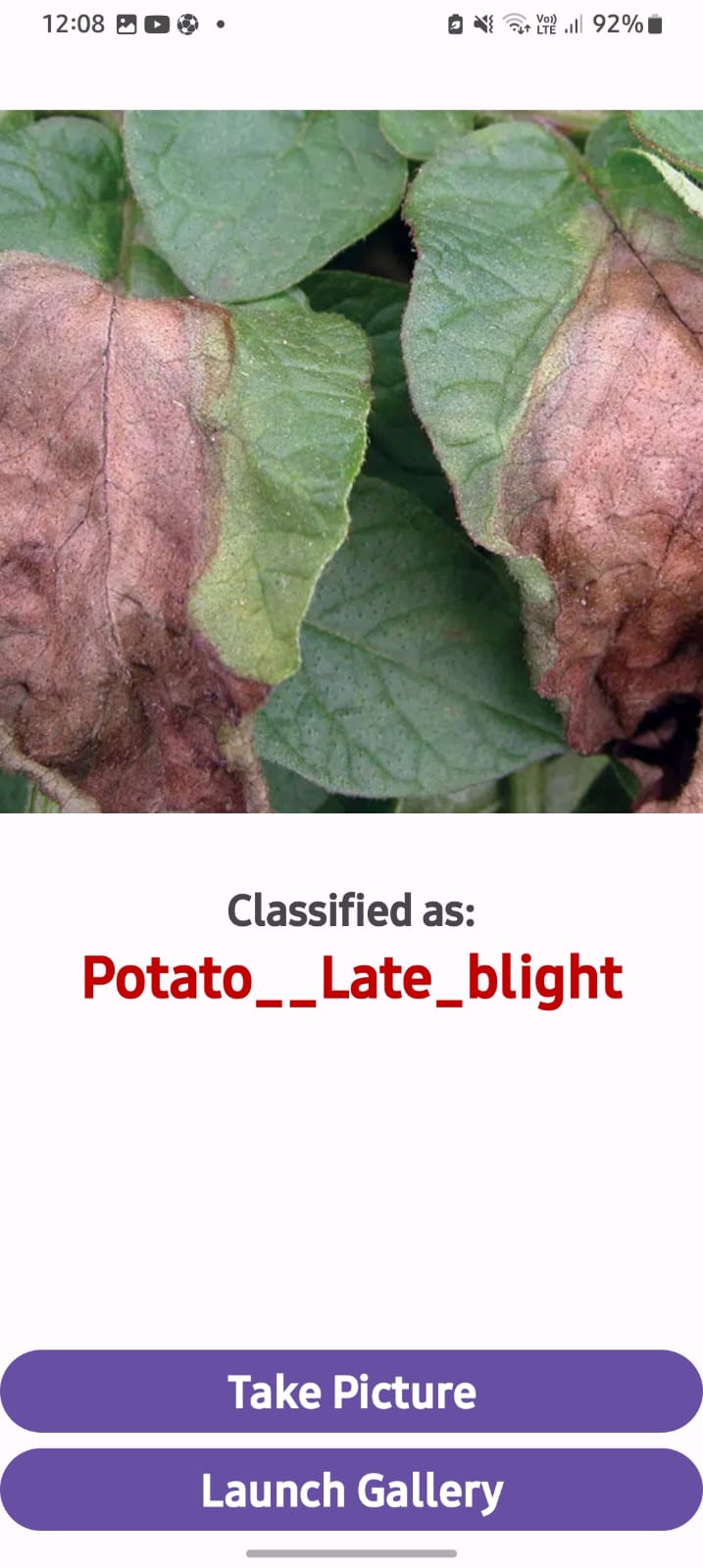
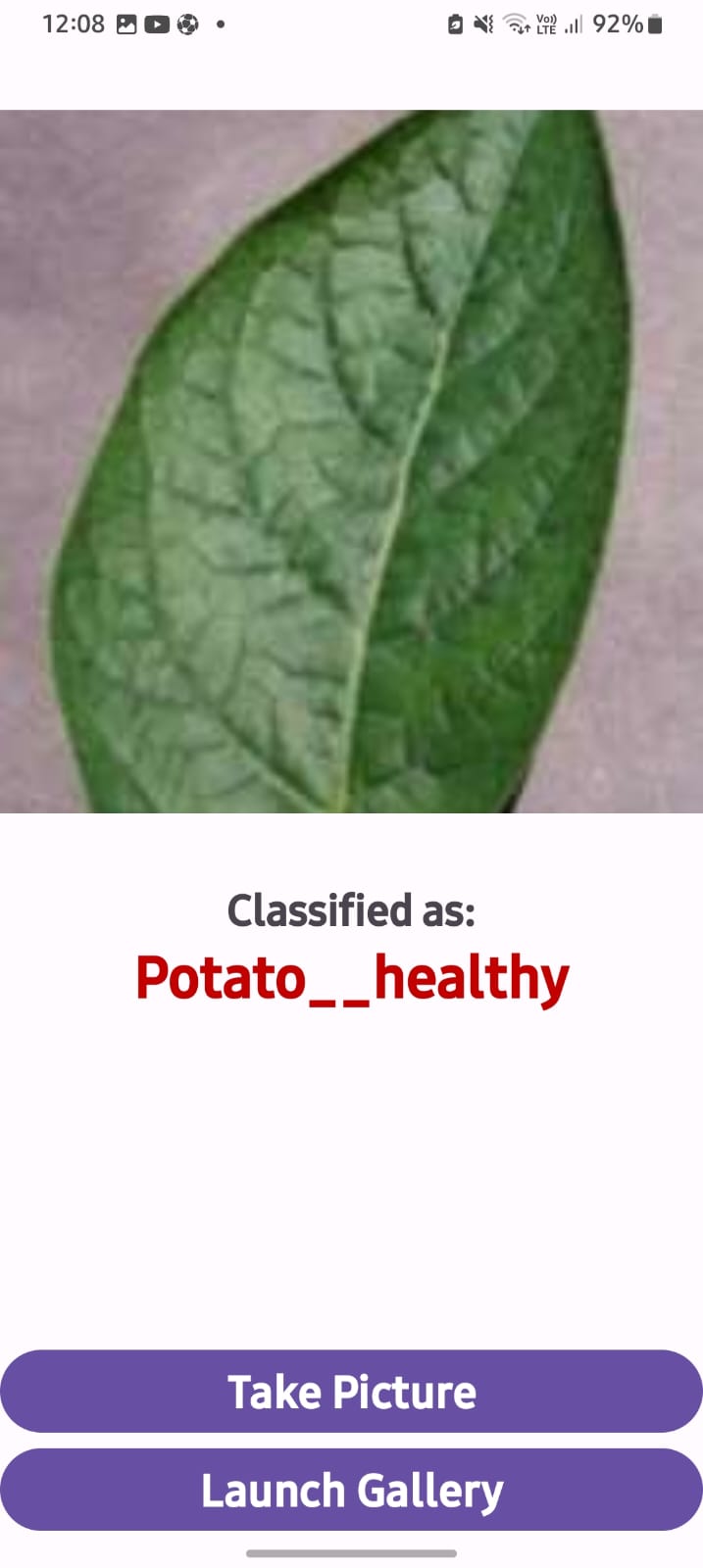
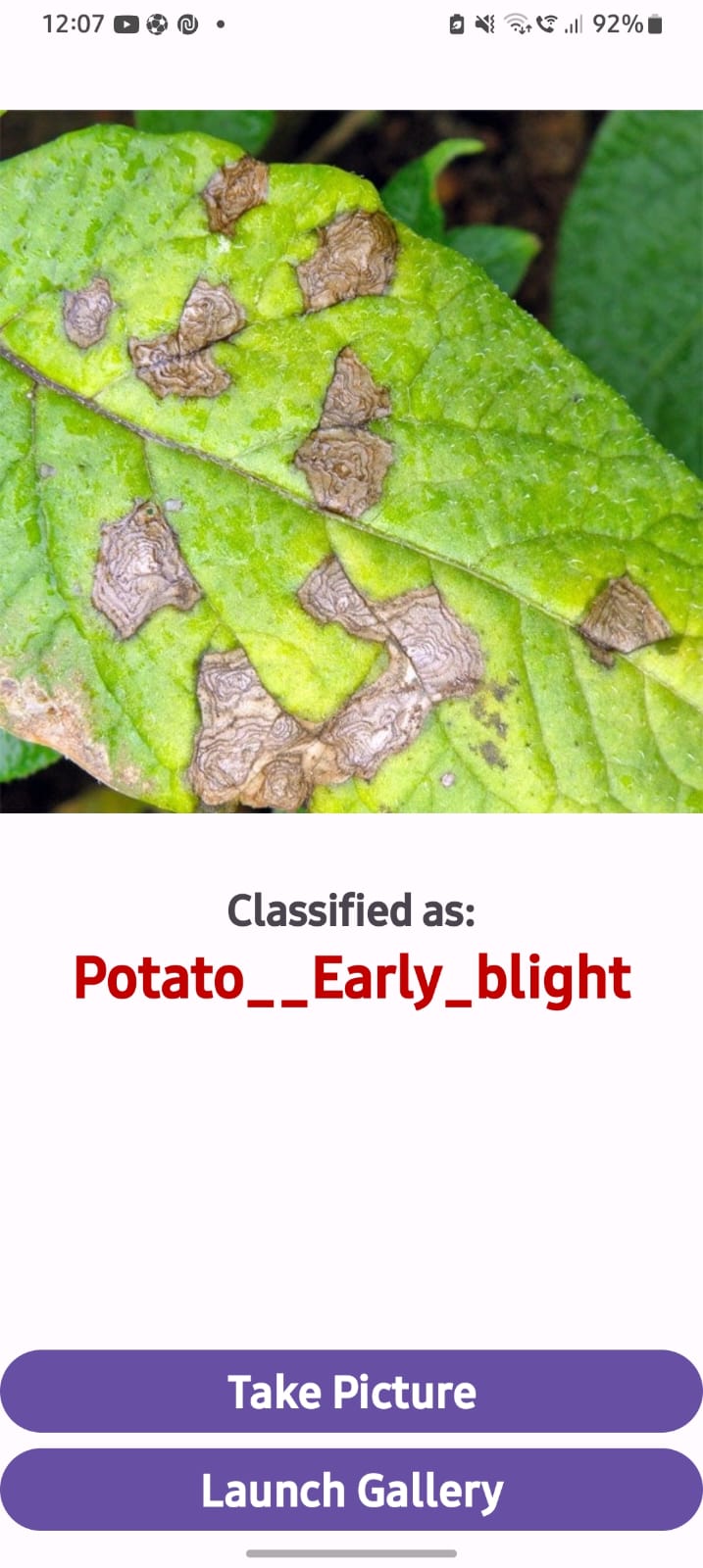
Model predictions on potato leaf images.

The trained model was used to classify potato leaf images into Early Blight, Late Blight and Healthy categories.

06

MOBILE DEPLOYMENT

From model.tflite to Android.

Android application implementation

The trained TensorFlow Lite model located at AModel/1/model.tflite was used as the inference model inside the Android application.

A ready-made Android template obtained from a YouTube tutorial was used as the starting project and UI foundation. The template itself was not treated as the finished application.

The project was modified and adapted to implement the requirements of the potato disease classification application, including model integration, permissions, image handling, prediction logic and displaying the result.

Java was used for the application-side logic, while Gradle was used for dependency and build management.

The complete application flow was tested inside Android Studio using the Google Pixel 5a emulator.

01 Permission Handling

Required Android permissions were handled for the application's image/input-related functionality.

02 Image Input

Images are accepted as input for the classification process.

03 TFLite Inference

The TensorFlow Lite model is loaded and used to perform local model inference.

04 Prediction Processing

Model output is processed to determine and display the corresponding prediction.

05 Result Display

The application presents the resulting classification to the user.

06 Emulator Testing

The application was tested using the Google Pixel 5a Android emulator.
07

PROJECT ARTIFACTS

Try the build. Inspect the APK.

APK
ANDROID PACKAGE

app-debug.apk

Debug APK generated from the Android application after integrating the TensorFlow Lite model.

Download APK โ†“
JADX
APK ANALYSIS

app-debug.apk.jadx

JADX-generated APK analysis/decompiled project artifact provided for educational inspection of the generated application.

Download JADX โ†“
๐Ÿ“ฑ

APPLICATION TESTING

Google Pixel 5a Emulator

The Android application was tested directly inside Android Studio using the Google Pixel 5a emulator. Testing covered the application flow, permissions, image input, TensorFlow Lite inference, prediction processing and result presentation.

Android Studio
08

TECHNOLOGY STACK

Technologies used across the project.

Python Programming
TensorFlow Deep Learning
Keras Model Development
CNN Image Classification
Jupyter Experimentation
TensorFlow Lite Mobile Inference
Android Studio Application Development
Java Application Logic
Gradle Build Management
JADX APK Analysis
09

LEARNING OUTCOMES

What the project demonstrates.

01

Computer Vision

Image preprocessing and CNN-based classification.

02

Model Development

Training, validation, evaluation and model serialization.

03

Model Deployment

Converting a trained model into TensorFlow Lite for mobile inference.

04

Android DL

Integrating deep learning inference into an Android application.

EXPLORE THE IMPLEMENTATION

Want to see the complete project?

Explore the notebook, dataset, model artifacts, TensorFlow Lite model, Android application, APK and JADX analysis.